New in Product Gale: Scan a Product Page Before You Sign Up
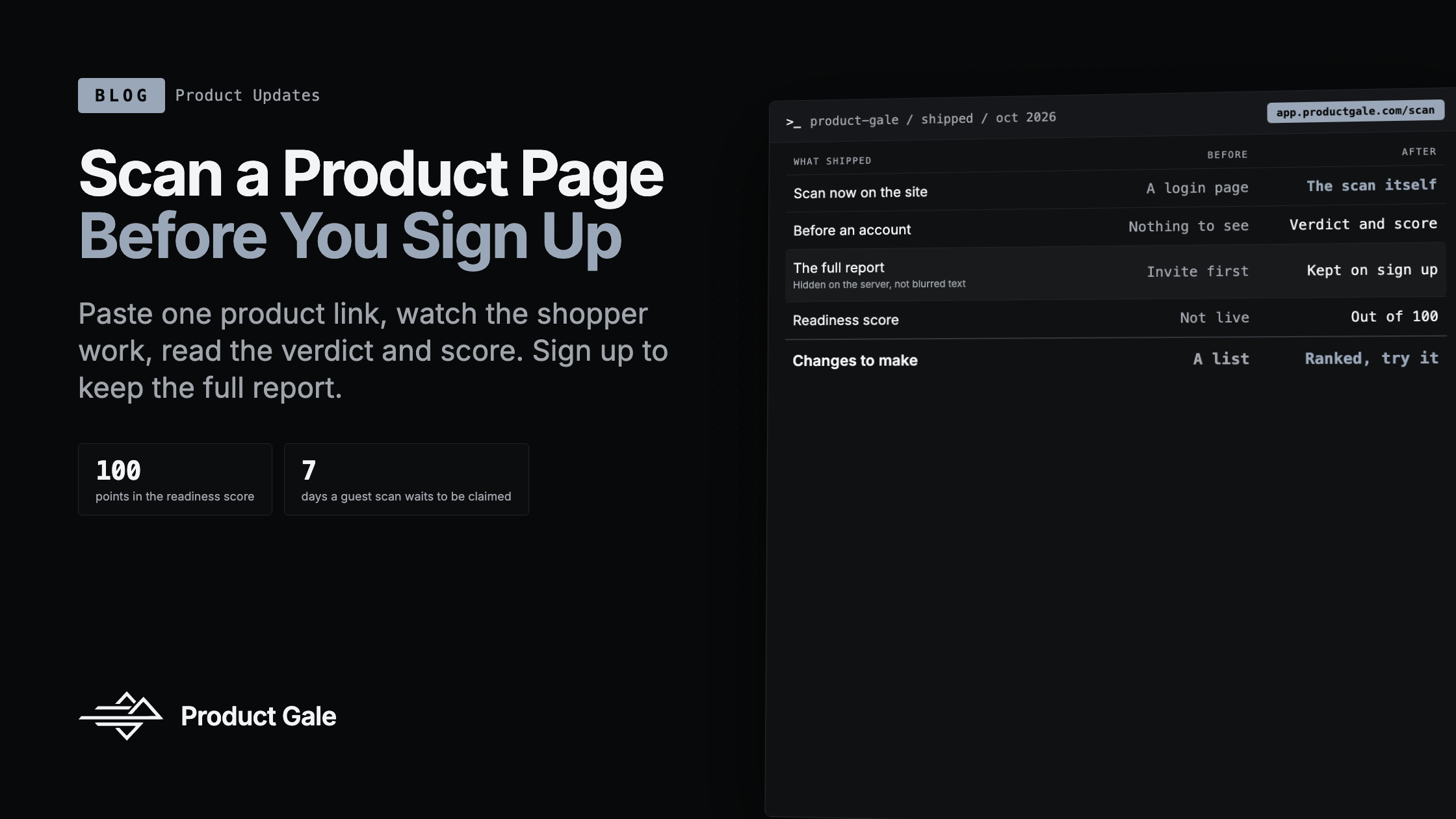
What shipped since the last update: anyone can scan one product page at app.productgale.com/scan with no account, watch it run, and read the verdict and score; signing up opens the full report of that same scan. The readiness score out of 100 and the ranked list of changes are live too.
Product Gale Team
New in Product Gale: Scan a Product Page Before You Sign Up
Until this week, every button on this site that said "scan" opened a login page. Registration is by invitation, so a store owner who wanted to see what an AI shopper does on their own product page had to write to us, wait for an invite, and then find out. That is a lot to ask of someone who only wanted to look.
Now the button opens the scan itself. You paste one product link, press Scan now, and watch an AI shopper work through the page. When it finishes you read the verdict, the readiness score and the first thing to change, with no account. Creating one puts that same scan, with its full report, in your account, not a fresh start.
A scan you can run before you have an account
The page at app.productgale.com/scan is the app's own scan page, not a marketing copy of it. The sidebar, the header and the scans table are all there, greyed and locked, around the one form a visitor can use: a product link and a Scan now button. If you typed a link into the box on this site, it arrives already filled in.
It takes a product page, one at a time. A store's home page, a collection or a search page is refused with a sentence asking for a product link, because a scan of one product is what we can run for someone we do not know yet, and a listing is not one product. Each visitor gets two scans a day.
There is a check that you are a person, and most people never see it. It runs when you press Scan now, and only if it needs a click does a small dialog open with the check in it. If the check cannot load or times out, a line under the form says so rather than leaving the button dead.
While the scan runs you see the same stepper a signed-in member sees: the plan the shopper made, each step as it starts and finishes, and while the scan waits its turn, how many jobs are ahead of it. Guest scans share the queue with everyone else's, so the page tells you the truth about the wait instead of spinning.
The stepper was the first thing that broke. Our tests fed it the plan the way a replayed stream sends it, and they passed. A real scan that starts after you open the page sends its plan inside a live step instead, so the first run against a real store showed a stepper with nothing in it. The end to end run, scanning one of our own test products in a real browser, is what caught it. The page now reads the plan from either place, with a test recorded from that real stream.
What you see before you sign up, and why the rest is not there
A finished guest scan shows, in the clear: the store, the product the shopper looked at, whether it would have bought (won, lost or unclear), the readiness score, how many changes the scan found in each of its four parts, and the one change worth the most. If the store refused the shopper at the door, that refusal is the result, and the page says so.
Below that sits the rest of the report as empty shapes: a row for each change you have not seen yet, and blocks the size of the evidence picture and the products table. They are blurred, but there is nothing under the blur. The server never sends the hidden part of a guest scan to the browser, so there is no text to uncover by opening the page source. That was a rule before a line was written, and a test asserts that the locked area contains no text at all on a real scan.
The live progress follows the same rule. The member stepper carries short lines about what the shopper is reading, and those lines are made from what it measured, so forwarding them would hand over the report one sentence at a time. A guest sees the steps and their status, and nothing they found.
If the scan itself fails on our side, the page says our scanner could not finish and offers to scan again. It does not dress a failure of ours up as a teaser to unlock.
Signing up opens the scan you already ran
Under the teaser, one panel: create a free account to see the full report. You can sign up with an email and a password or with one of the sign in buttons, and if you already have an account, logging in does the same thing. Either way the scan, its traces and its network record move into your workspace, under the store you scanned, and you land on the app's scan page with that scan in the table, running or finished. One click opens its full report.
Signing up from a guest scan works while registration is still by invitation: the scan you ran is what lets you in. The scan is kept for you for seven days. A scan nobody claims is deleted after thirty, with everything it recorded.
A new email account can read its claimed report before the email is verified. Until then, the scan page shows in its locked form with a banner to resend the email, and every other page sends you back there rather than to a dead end. Verifying in another tab is noticed on its own within a few seconds.
The scan you ran as a guest costs your new account nothing. It counts as a scan in your history, where its cost reads Free, and it does not touch the account's credit before the claim, during it or after.
Two smaller things in this path were wrong before they were right. The person check had been tested against the provider's test keys, which answer a bad token as a normal reply. The live keys answer it as an error, and we had treated every error as the check being down, so a failed check said "try again in a moment" instead of "the check did not pass". Only the live keys showed it. And the page that asks you to verify your email went blank when a verified user reloaded it, because it tried to redirect while it was still drawing. It now renders the redirect.
Also shipped this cycle
- A readiness score out of 100. Every scanned product page now has one, in four parts: whether AI clients can reach the page (25 points), whether the buying facts are on it (45), whether the store's structured data carries them (20), and whether the page and its data agree (10). A store's score is drawn from the scores of its pages. Every point traces to something a scan recorded. On our own test store, which sits behind its storefront password, the score read 42 of 100, with reach at 0 because every named AI client met the password page.
- Changes in the order that matters, with a what if. The recommendations of a store open on its score and the changes ranked by what each is worth to the score. Ticking a change shows where the store would stand with it made, worked out in the browser without asking the server. On the same test store, ticking two of the changes took the projection from 42 to 57, and ticking every change took it to 75. It stops at 75 because the store is locked, and the page says why.
- The score beside the store. The dashboard and each store's page show the readiness score next to the number of changes to make.
- Scans that no longer sit queued after a restart. When the message queue behind our scans restarted, the backend reconnected but kept listening on the channels that died with the old connection, so a new scan waited at "queued" with its result already finished and nobody to read it. The backend now listens again on every queue each time the connection comes back.
- A signed in visitor skips the guest page. If you are already logged in and open the scan page, you go straight into the app with the launcher open on the link you brought. A guest scan your browser is holding is claimed into your workspace without the locked shell ever showing.
Why this batch, together
The scan has always been the clearest way to explain what Product Gale does, and until now you had to talk to us before you could see one. This batch makes the scan the front door: run it on your own product page, read the verdict and the score with no account, and keep the whole report the moment you sign up, with the scan you already watched waiting inside. The readiness score and the ranked changes are what you find on the other side of that door. We still show and measure; the merchant still makes the change. What changed is that you can see it for yourself first.
Want to see it on your own store? Scan a product page now. You won't need an account until you want the full report.
Keep reading
New in Product Gale: The Scan Now Names What to Change
What shipped since the last update: a scan that ends in a list of changes to make, a re-check that scans only the pages a change touched, a chart of agent visits after a change is confirmed, scans of stores behind a password, and a dashboard where every step opens the thing itself.
New in Product Gale: A Scan Report Anyone Can Open
What shipped over the last two weeks: a share link that opens the full report for someone with no account, a document redesigned to be sent cold, nine ways to look at one trace, and the two bugs the browser caught before a customer did.
What are AI shoppers costing your store?
Get your AI Revenue Leak report free, with nothing to install
Scan my storePrefer our reporting in Google
Add Product Gale as a preferred source and our posts are marked as preferred for you in Top Stories, AI Mode and AI Overviews.